First launch
Open the app, complete direct activation when required and create your first chart.
On this page (5 sections)
Identify the activation gate
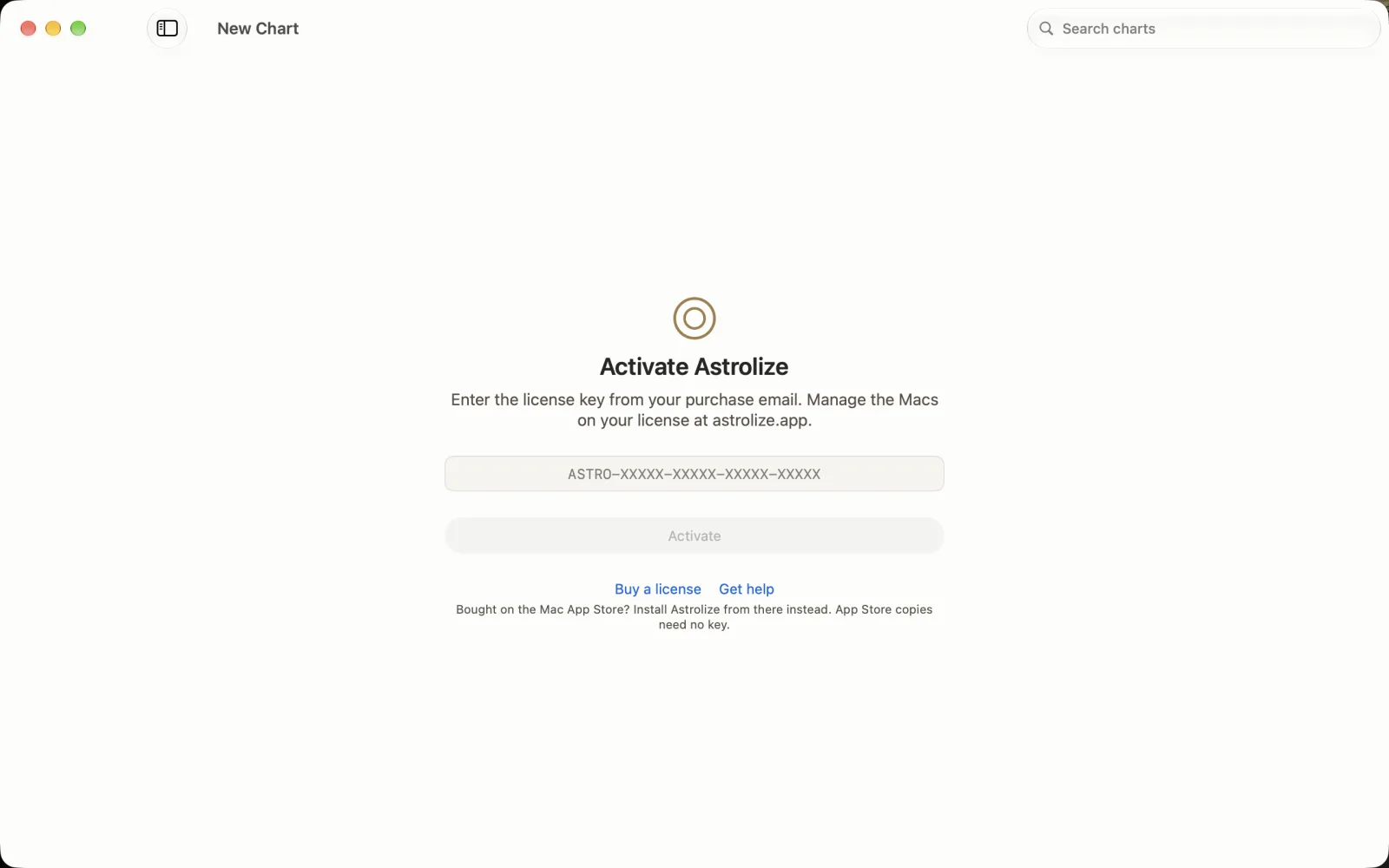
The direct build starts at Activate Astrolize, with a key field and an initially disabled Activate button. Buy a license and Get help appear below. This guide uses only the nonworking sample key ASTRO-GUIDE-SAMPL-EONLY-NOUSE in its licensing demonstrations; your real key arrives in the purchase email. An App Store copy needs no direct key.
Check the empty birth form
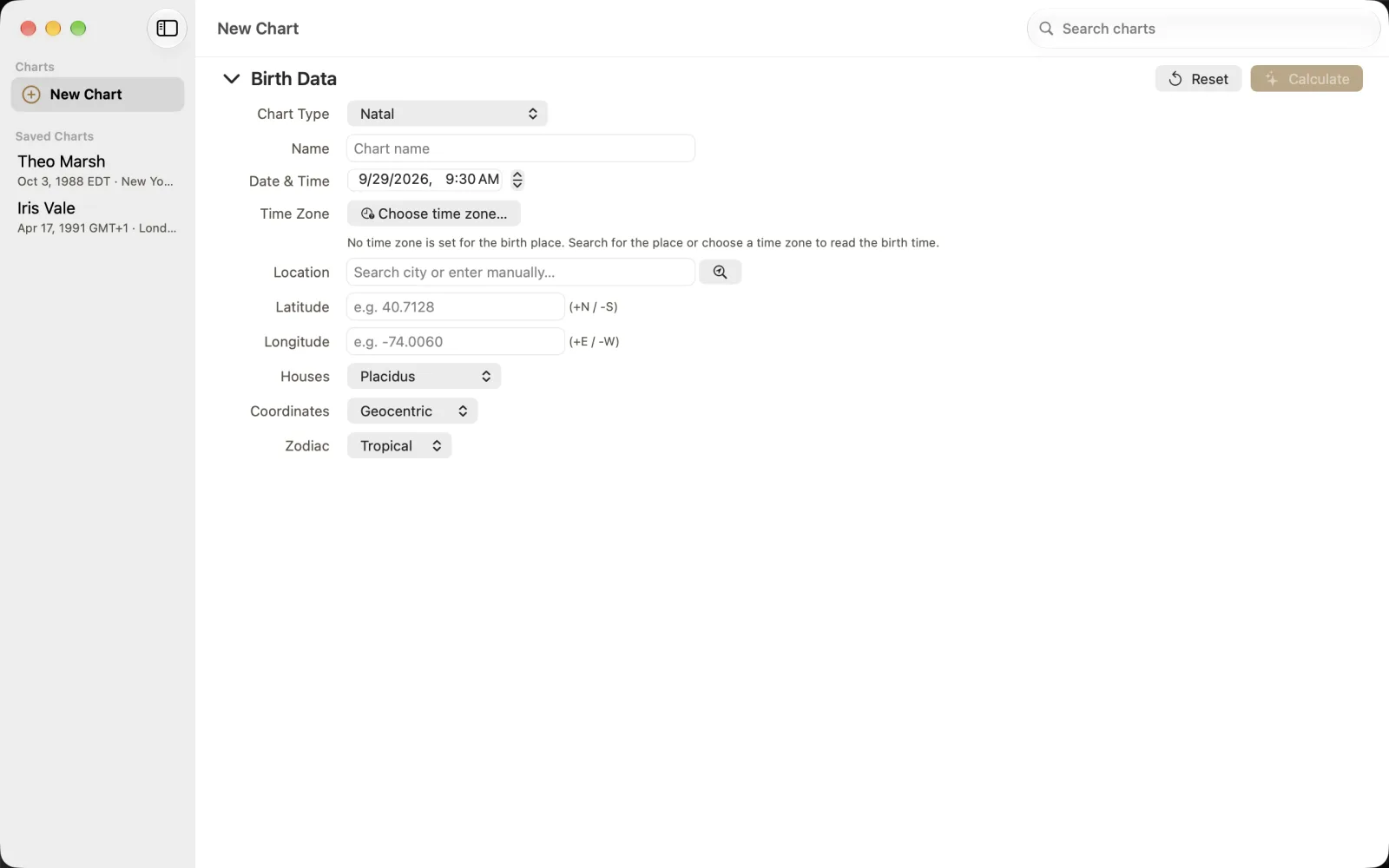
The New Chart form begins with Birth Data. In the example, Natal, Placidus, Geocentric and Tropical are selected. Choose time zone... and Search city or enter manually... help establish the time and place; Calculate is disabled while required data is missing. Start the worked guide with the invented Iris Vale, born 17 April 1991 at 06:42 in London, and verify Europe/London, UTC+1 for that date, before calculating.
Open the correct copy
Open Astrolize from Applications after installation. A direct copy shows Activate Astrolize until it has an entitlement. An App Store copy does not ask for a direct key.
Activate a direct purchase
Find the full key in your direct purchase email.
Enter it in Activate Astrolize and choose Activate while connected to the internet.
If all seats are in use, review the devices in Your account before releasing one.
The activation screen offers Buy a license and Get help. If the purchase was through Apple, install the App Store copy rather than using Buy a license.
Start with a chart
Choose New Chart and enter Birth Data. Check Date & Time, Time Zone and Location before Calculate. Use Save Chart when the result is ready to keep.
On first use, an empty library receives four sample charts. An existing library is left unchanged, and the samples are not added again after that initial check. This is not a separate onboarding wizard. Sample records are for exploration, not your own birth data.