Manage your chart library
Open, rename, delete and search saved charts, and understand first-launch sample charts.
On this page (4 sections)
Saved Charts is the local collection used to reopen your records. The guide captures contain the invented Iris Vale and Theo Marsh; they are examples, not your personal data. Use Iris for the search and edit steps, then inspect the deletion confirmation without removing anything you still need. Save Chart keeps a calculated chart you want to retain.
Filter the saved-chart list
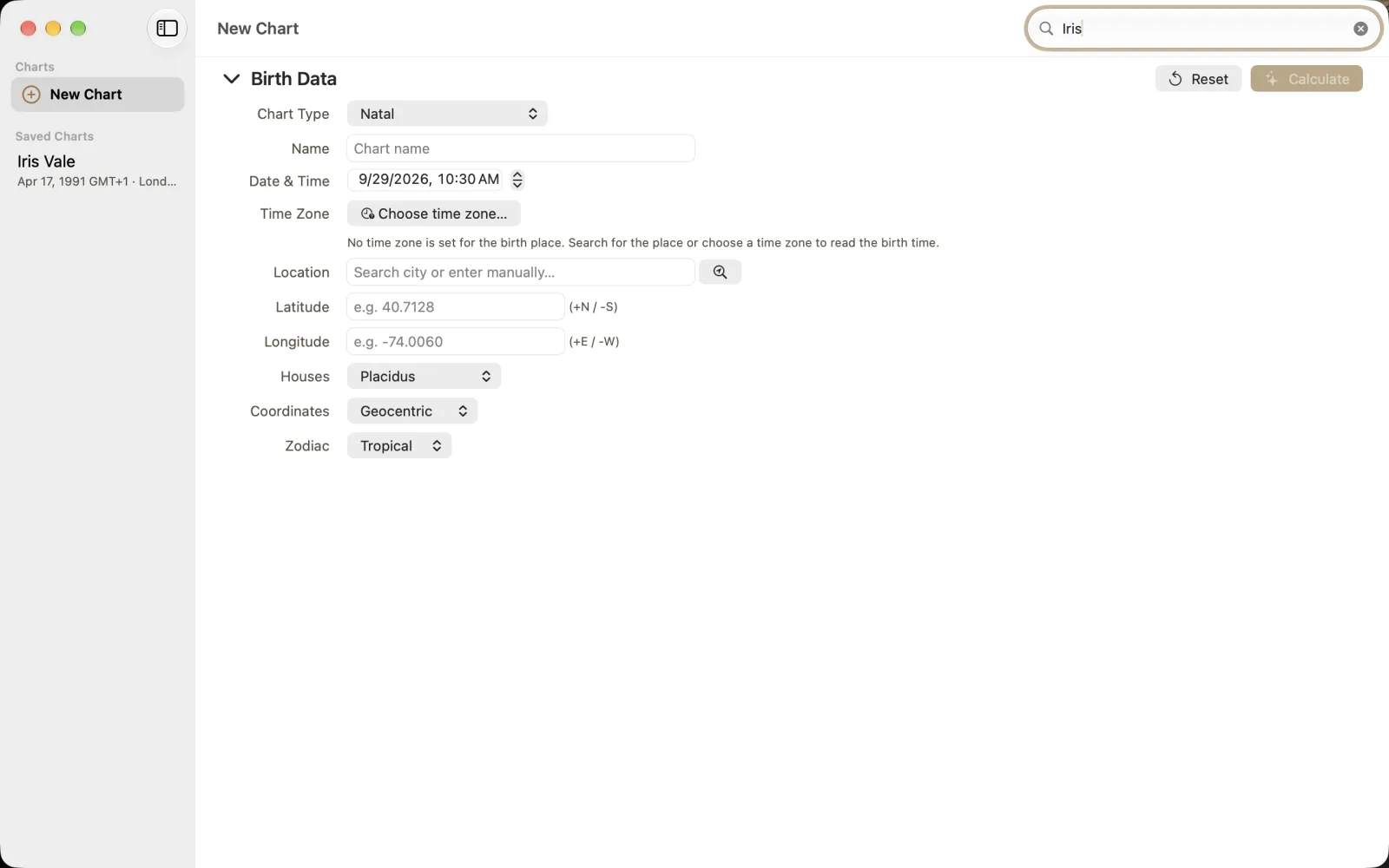
Type Iris into Search charts in the toolbar. The example now shows only Iris Vale under Saved Charts; Theo is filtered out, not deleted. The clear button in the search field removes that filter. Before concluding that a record is missing, check whether a name remains in the field.
Open the chart library and locate Search charts.
Type Iris and select Iris Vale from Saved Charts.
Confirm the name and birth details in the result header before editing.
Edit identifying notes carefully
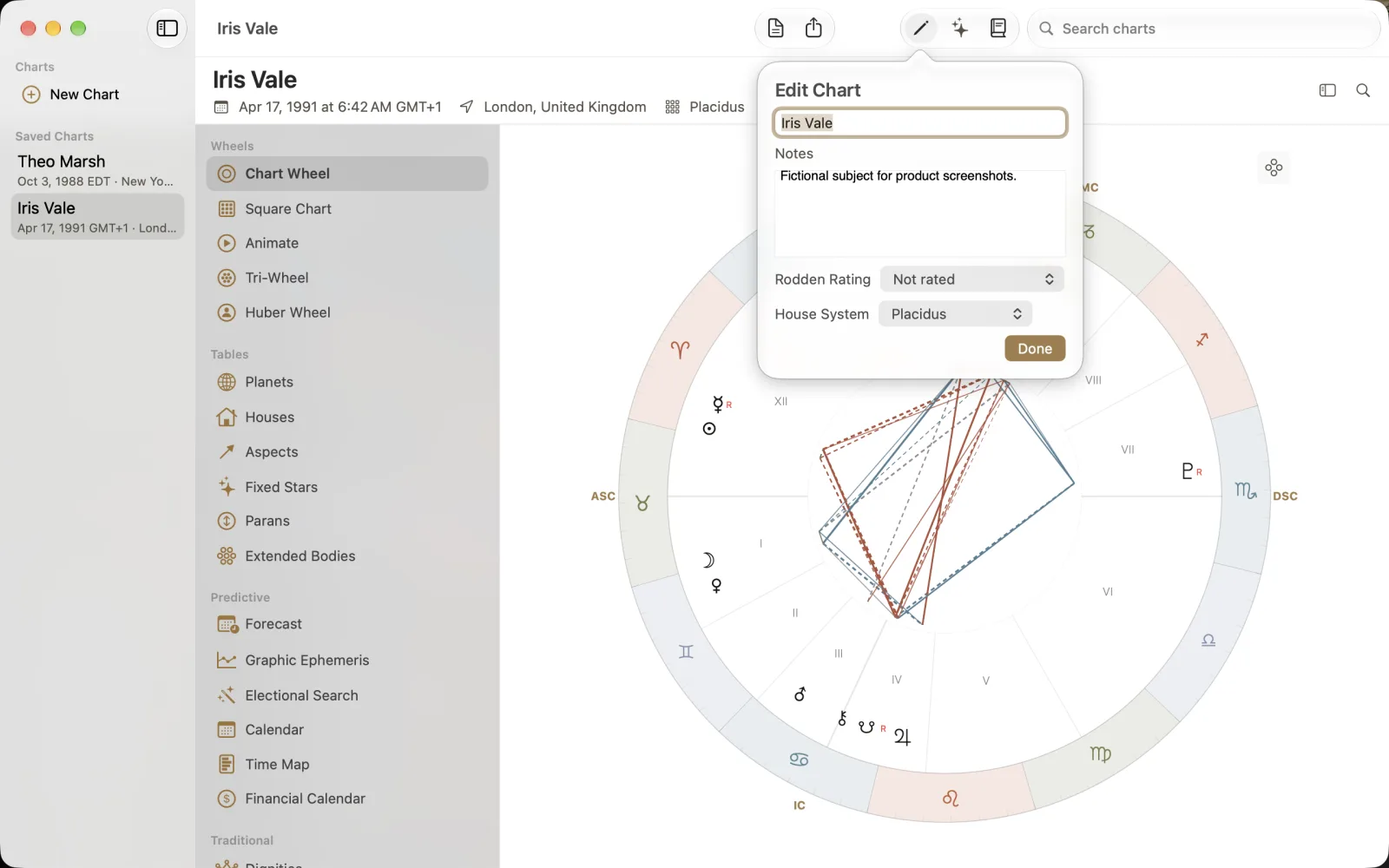
Choose Edit, the pencil toolbar button, to open Edit Chart. The example has Iris Vale, Notes reading Fictional subject for product screenshots., Rodden Rating set to Not rated and House System set to Placidus. Review these fields and choose Done. A rating or note describes your record; it does not verify a birth time simply because it is stored with the chart.
Review the deletion confirmation
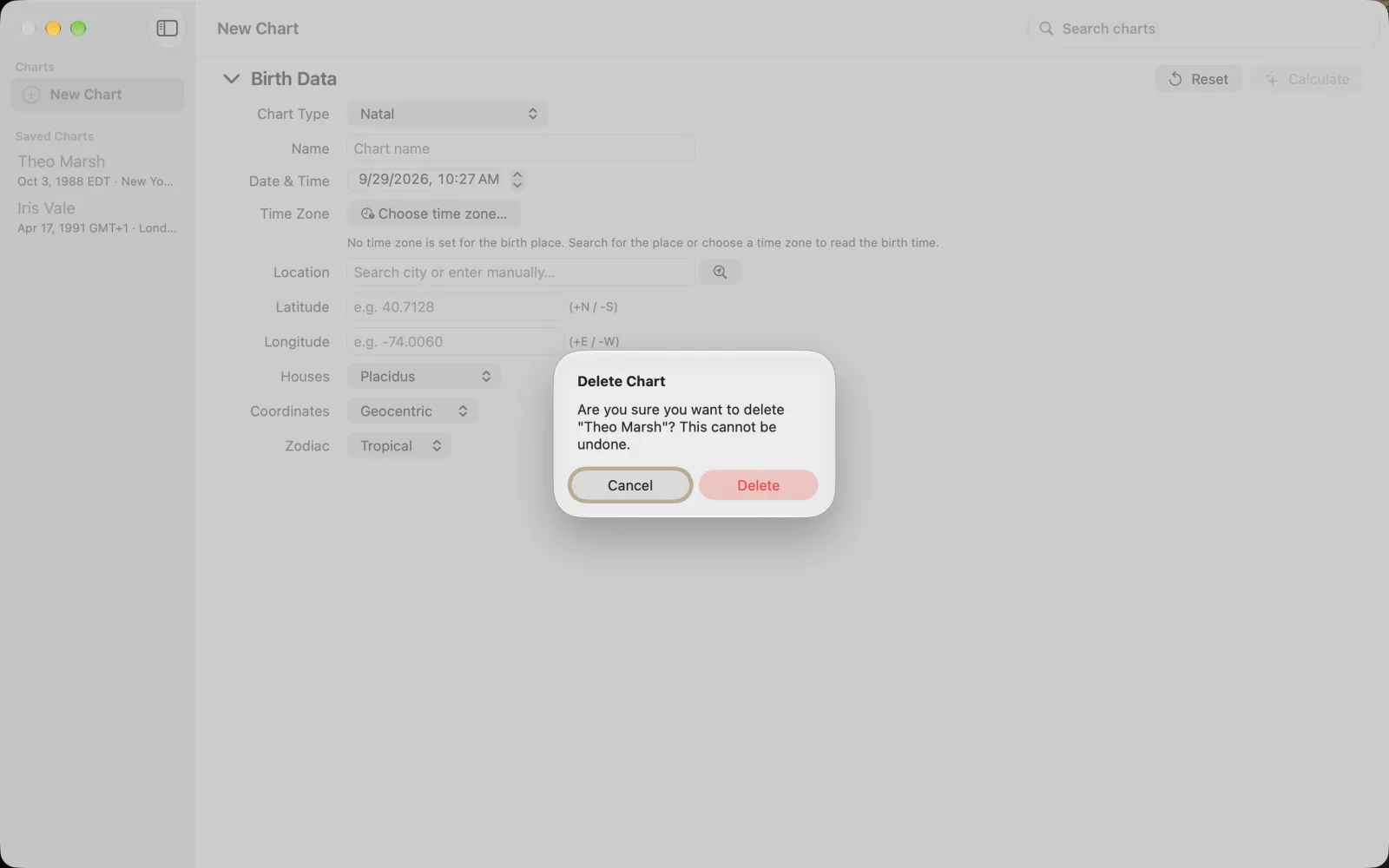
Deletion is reached from a saved chart's context menu in the sidebar. The pictured alert names Theo Marsh and says the action cannot be undone. Cancel is the default. Read the name in the alert, not just the selection you remember making. Choose Cancel for this walkthrough unless you deliberately intend to remove that record and have a checked export.