Enter a natal chart and location
Enter birth data, choose an atlas location and verify the time zone used for the chart.
On this page (5 sections)
A natal chart starts with a birth record, not just a name and a city. This example uses the invented Iris Vale, born 17 April 1991 at 06:42 in London. The local time belongs to Europe/London, UTC+1 on that date. Keep the date, time and place together as you enter them; a correct place paired with the wrong time zone describes a different moment.
Start Iris's birth record
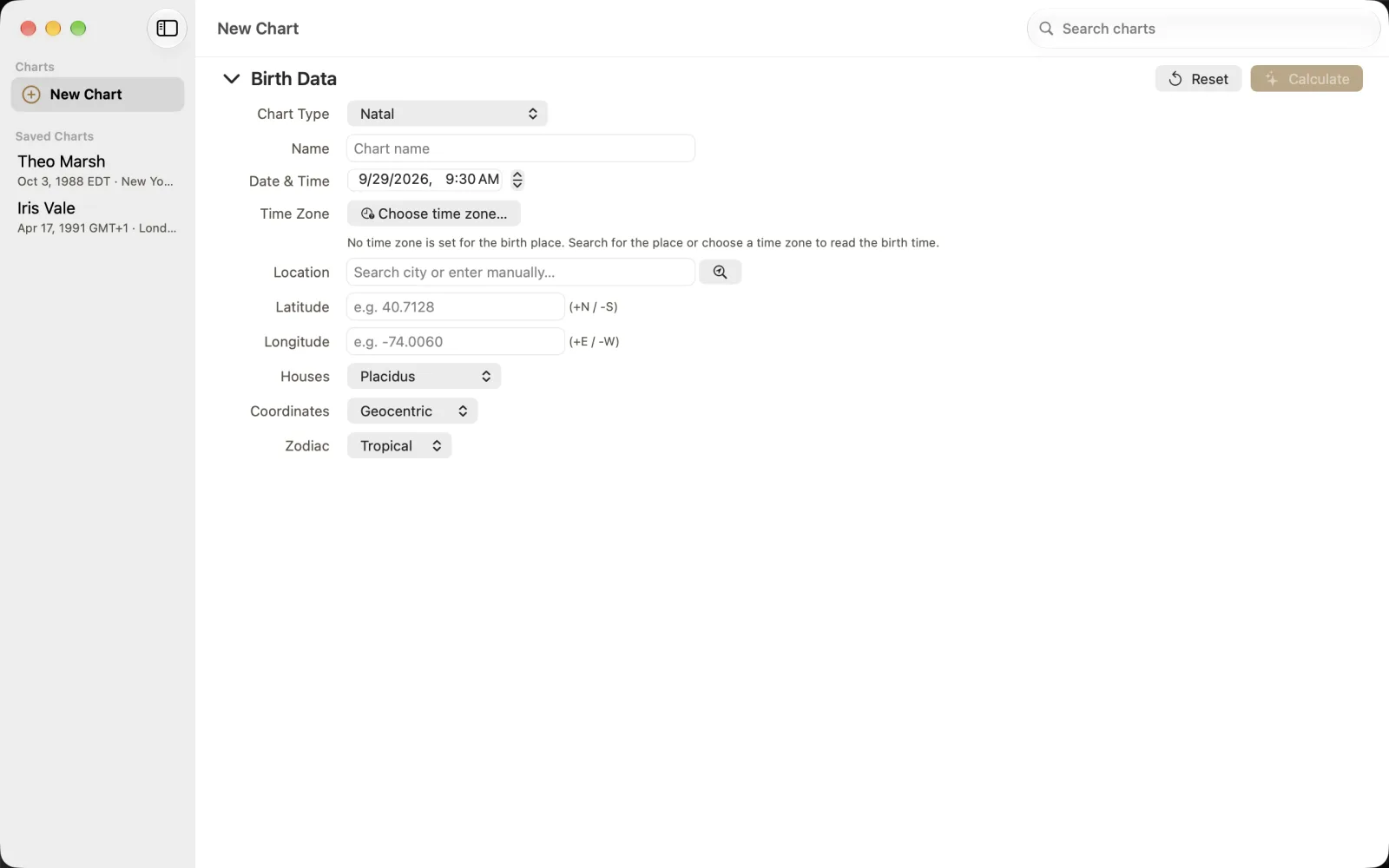
The empty form shows Natal, Placidus houses, Geocentric coordinates and Tropical zodiac. Calculate stays disabled until the form has a name, a latitude, a longitude and a time zone. While the time zone is missing, the hint beside Choose time zone... explains how to set it.
Choose New Chart in Charts, or press Command-N.
In Birth Data, keep Chart Type set to Natal and enter Iris Vale in Name.
Set Date & Time to 17 April 1991, 06:42.
Choose the London result
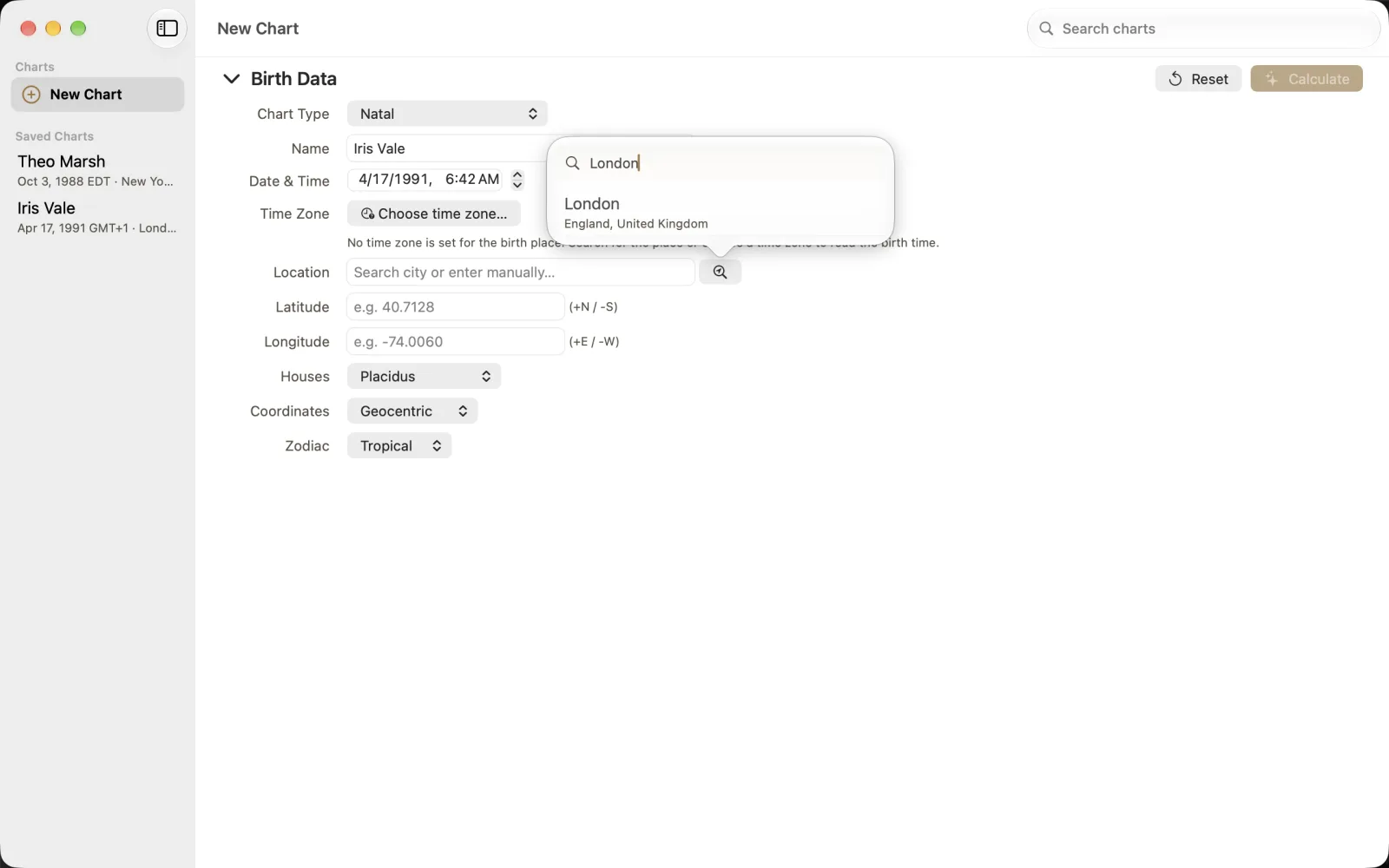
Use Search city or enter manually... in Location. The pictured result is London, England, United Kingdom. Select that result rather than treating typed search text as a confirmed place. The distinction matters when several places share a name.
Search for London and choose London, England, United Kingdom.
Check the selected location and the time zone before calculating.
Check the completed form
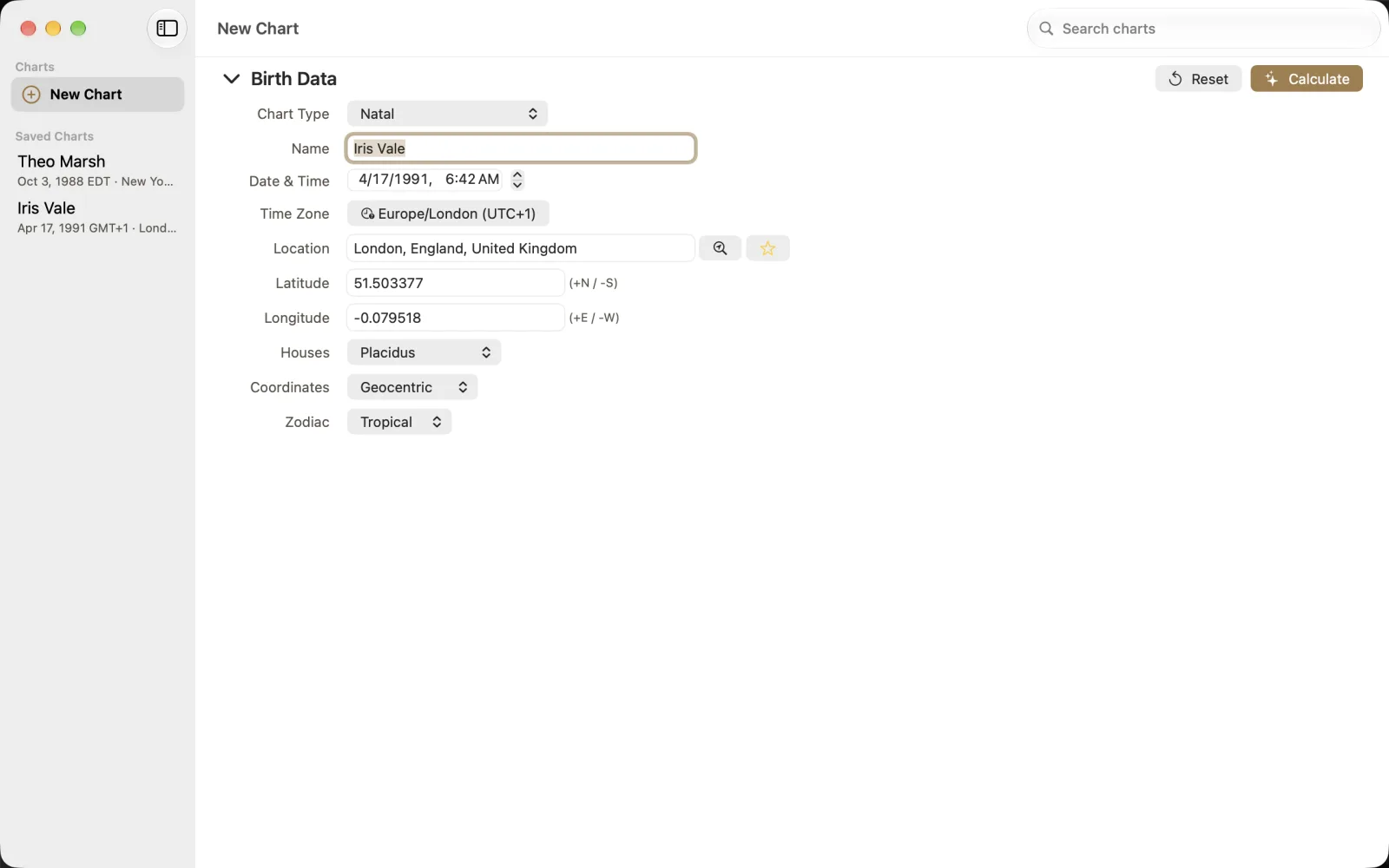
The example now shows Europe/London (UTC+1), latitude 51.503377 and longitude -0.079518. Latitude uses positive north and negative south; longitude uses positive east and negative west. The star beside the location search saves a favorite location. A favorite is a convenience, not evidence that a later birth date uses the same UTC offset.
Calculate the chart

Choose Calculate, or press Command-Return. The animation follows the calculation into the chart result. Check the name, date and location in the header before reading positions. Save Chart keeps a result you want to retain; a readable result and a checked source record are separate parts of the task.