Privacy and offline operation
Understand local chart storage, optional network features and direct-license revalidation.
On this page (2 sections)
Chart calculations and stored-chart work are designed for local use. Iris Vale's saved chart is a record on the Mac, not a copy maintained by signing in to the website. Treat birth records and exported reports as personal information even when a tool runs locally. The captures in these guides use invented people so that the workflow can be explained without exposing a client.
Check the direct license before disconnected work
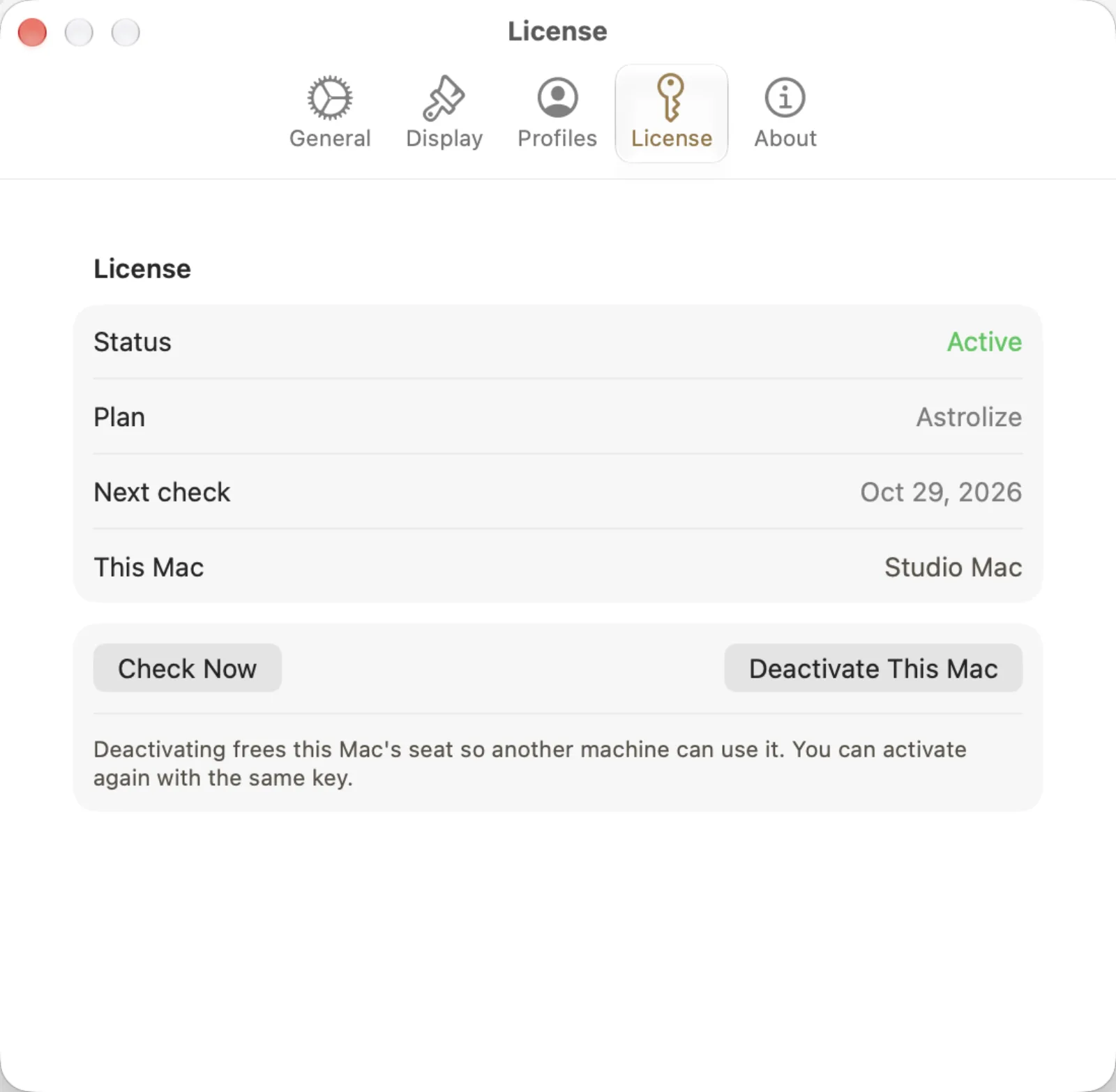
Open Astrolize > Settings and choose License in the direct build. The capture shows Status Active, Plan Astrolize and Next check Oct 29, 2026. Check Now requests a licensing check; Deactivate This Mac is a different action that releases this Mac's seat. Do not deactivate merely to test connectivity. The guide uses the nonworking sample key ASTRO-GUIDE-SAMPL-EONLY-NOUSE; real keys arrive in the purchase email.
Keep independent exports of the charts you need, including Iris if following this example.
While connected, review Status and Next check in Settings > License.
Use Check Now when you need to request a fresh check, not Deactivate This Mac.