Rectification
Compare candidate birth times and life-event evidence with the rectification tools.
On this page (3 sections)
Rectification lets you explore candidate birth times alongside life-event evidence. Begin with Iris Vale's recorded example, 17 April 1991 at 06:42 in London. Keep that source time in your notes before trying offsets. The worked adjustment is one minute later; it is an experiment, not a discovery that the original time was wrong.
Compare a one-minute offset
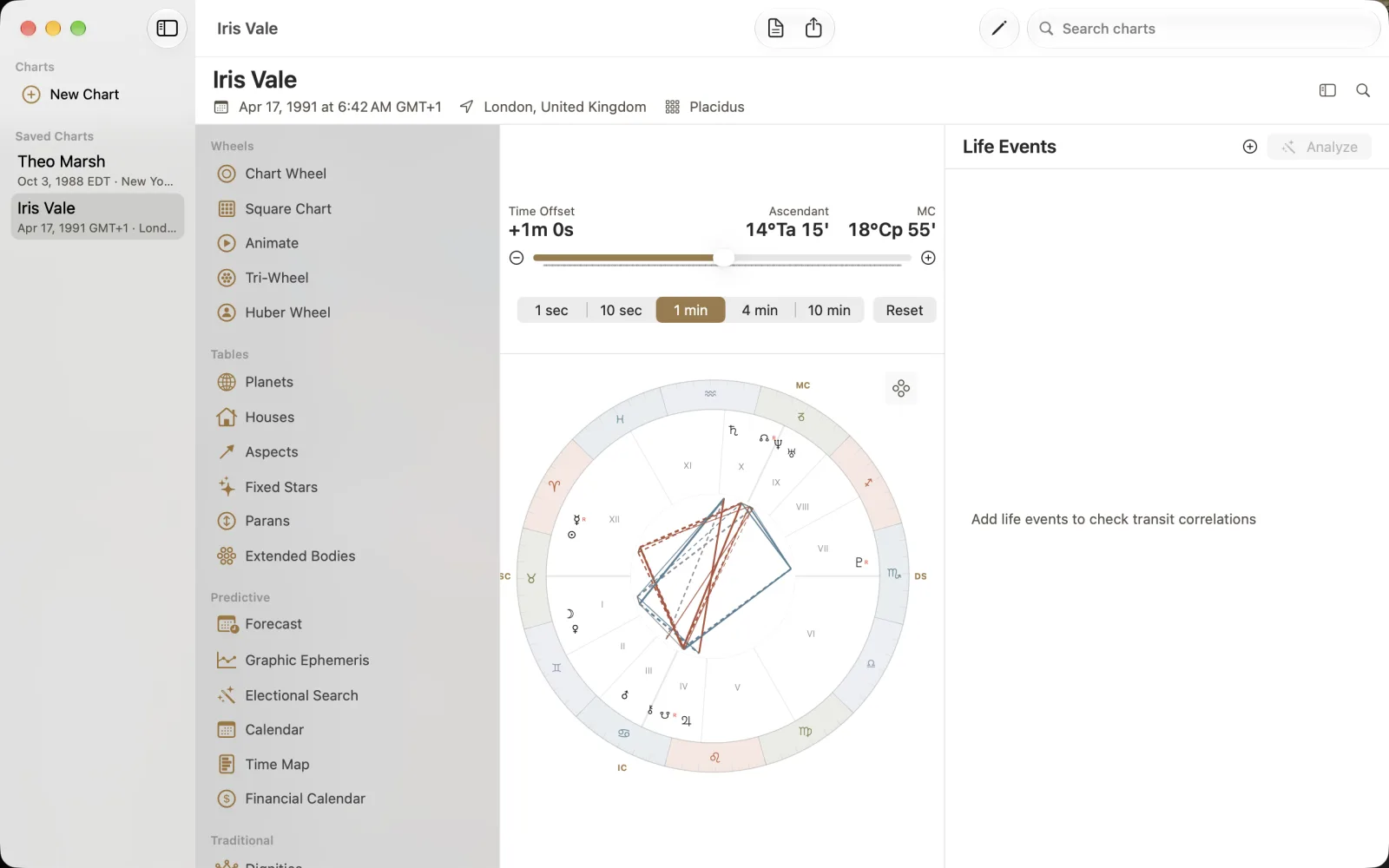
Choose Rectification in Tools or through Command-K. The capture reads Time Offset +1m 0s with the 1 min step selected. Ascendant is now 14 Taurus 15 and MC 18 Capricorn 55, compared with natal 13 Taurus 48 and 18 Capricorn 41. Read those angle changes while the wheel updates below. The step choices shown are 1 sec, 10 sec, 1 min, 4 min and 10 min.
Select Iris Vale and open Rectification.
Choose 1 min and use the offset controls to inspect +1m 0s.
Compare Ascendant and MC with the natal values; use Reset to return the offset to its starting value.
Add one dated example event
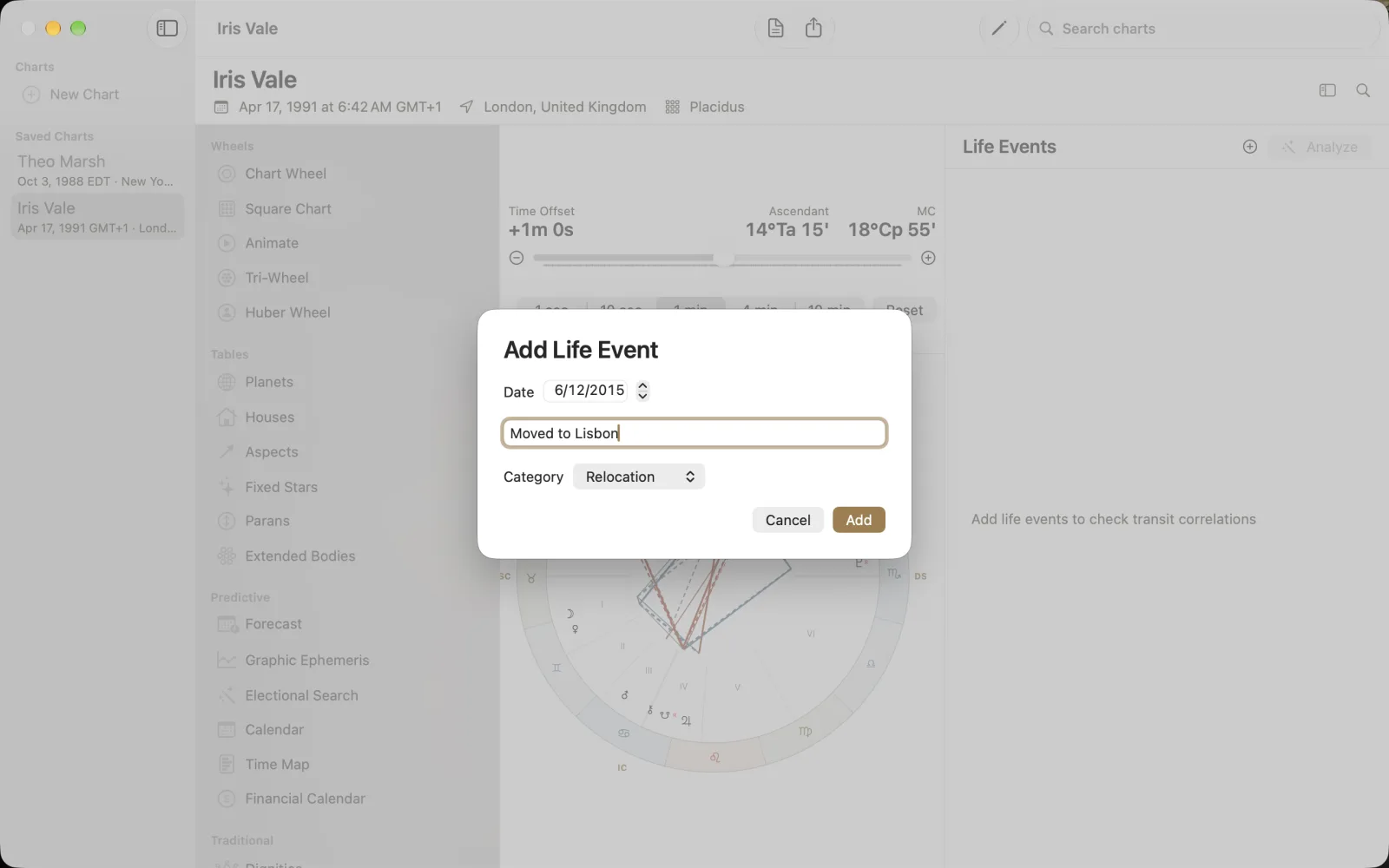
The right pane is Life Events. With no events, Analyze is disabled and the prompt asks for life events to check transit correlations. Choose the plus button to open Add Life Event. The fictional example uses 12 June 2015, description Moved to Lisbon and Category Relocation. Check the date and description, then choose Add, or Cancel to leave without adding it. Once events exist, Analyze is the action for checking transit correlations; the screenshot does not show an analysis result.