Activate the direct build
Enter your direct key on first launch and distinguish licensing from App Store ownership.
On this page (6 sections)
Recognize the direct activation screen
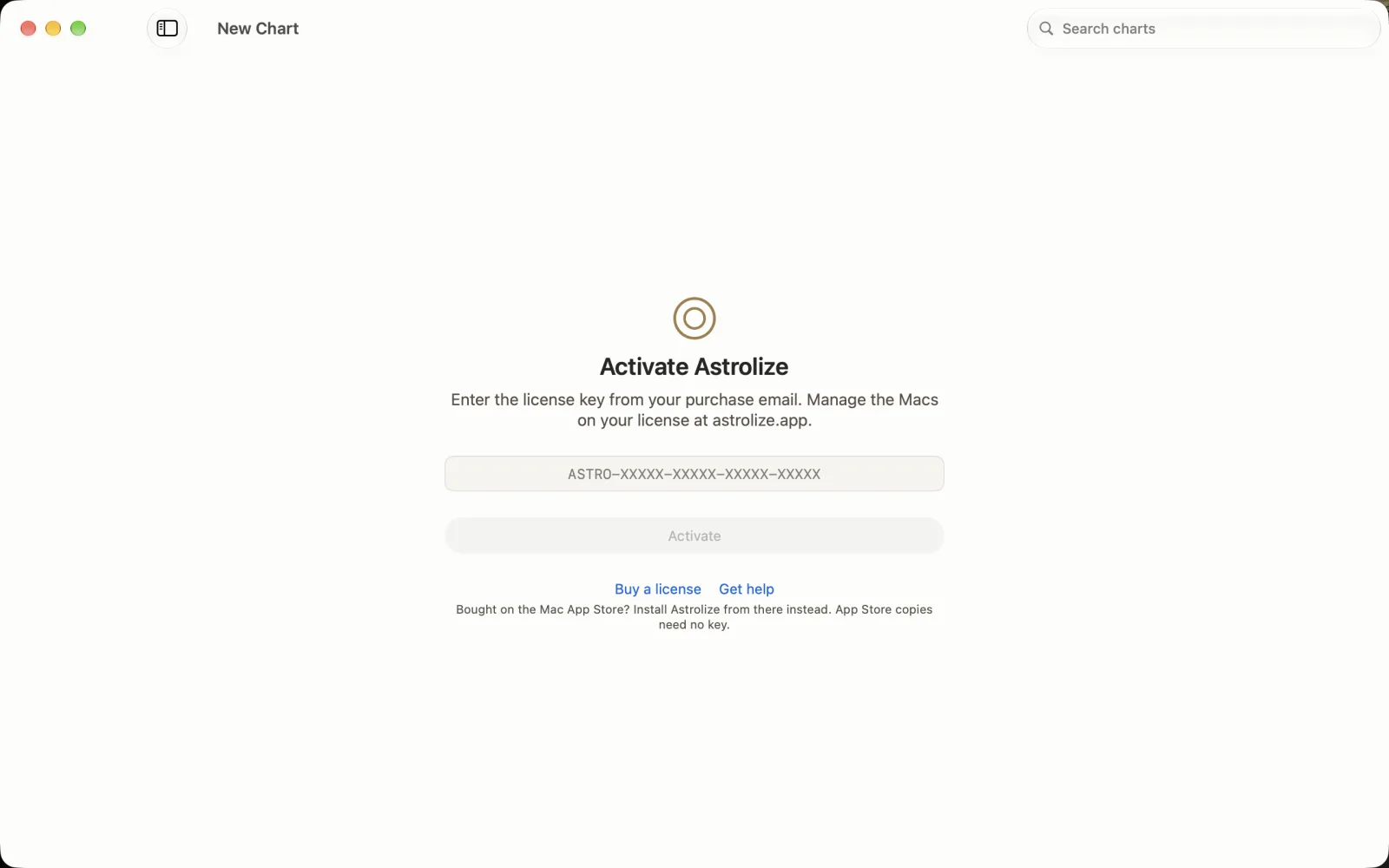
Activate Astrolize asks for the key from your purchase email. Activate stays disabled while the field is empty. Buy a license and Get help are separate links; the note tells App Store buyers to install the Apple copy instead. These guide captures use the sample key ASTRO-GUIDE-SAMPL-EONLY-NOUSE, which is not a working key. Your real key arrives in your purchase email.
Enter the key and wait for activation
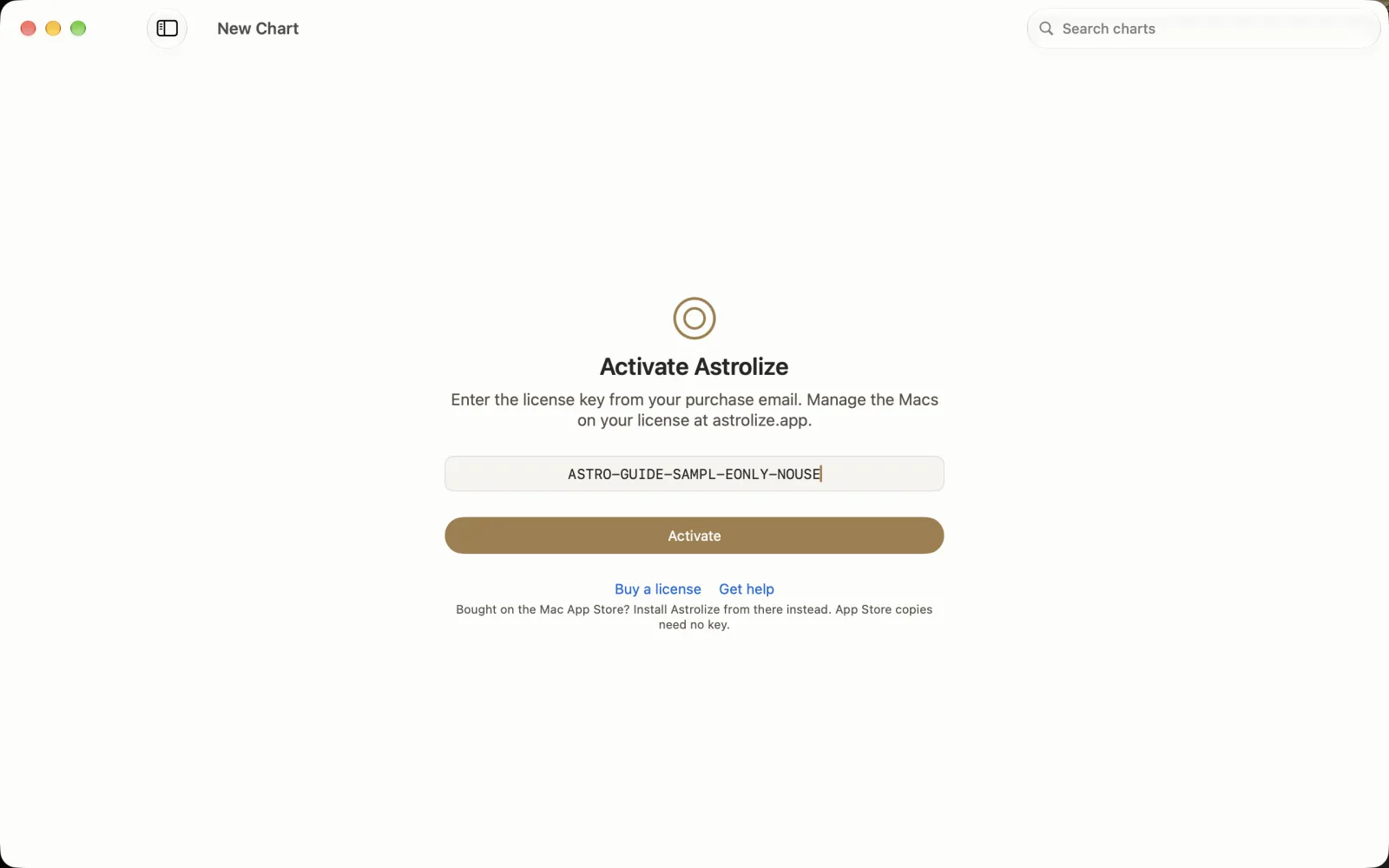

The still shows the nonworking sample key ASTRO-GUIDE-SAMPL-EONLY-NOUSE entered, with Activate enabled. Do not copy this demonstration key into your own installation. Paste the full current key from your purchase email, choose Activate once and wait. The guide animation demonstrates the working state, success seal and transition to New Chart; it does not make the pictured sample key a valid entitlement.
Check the active license
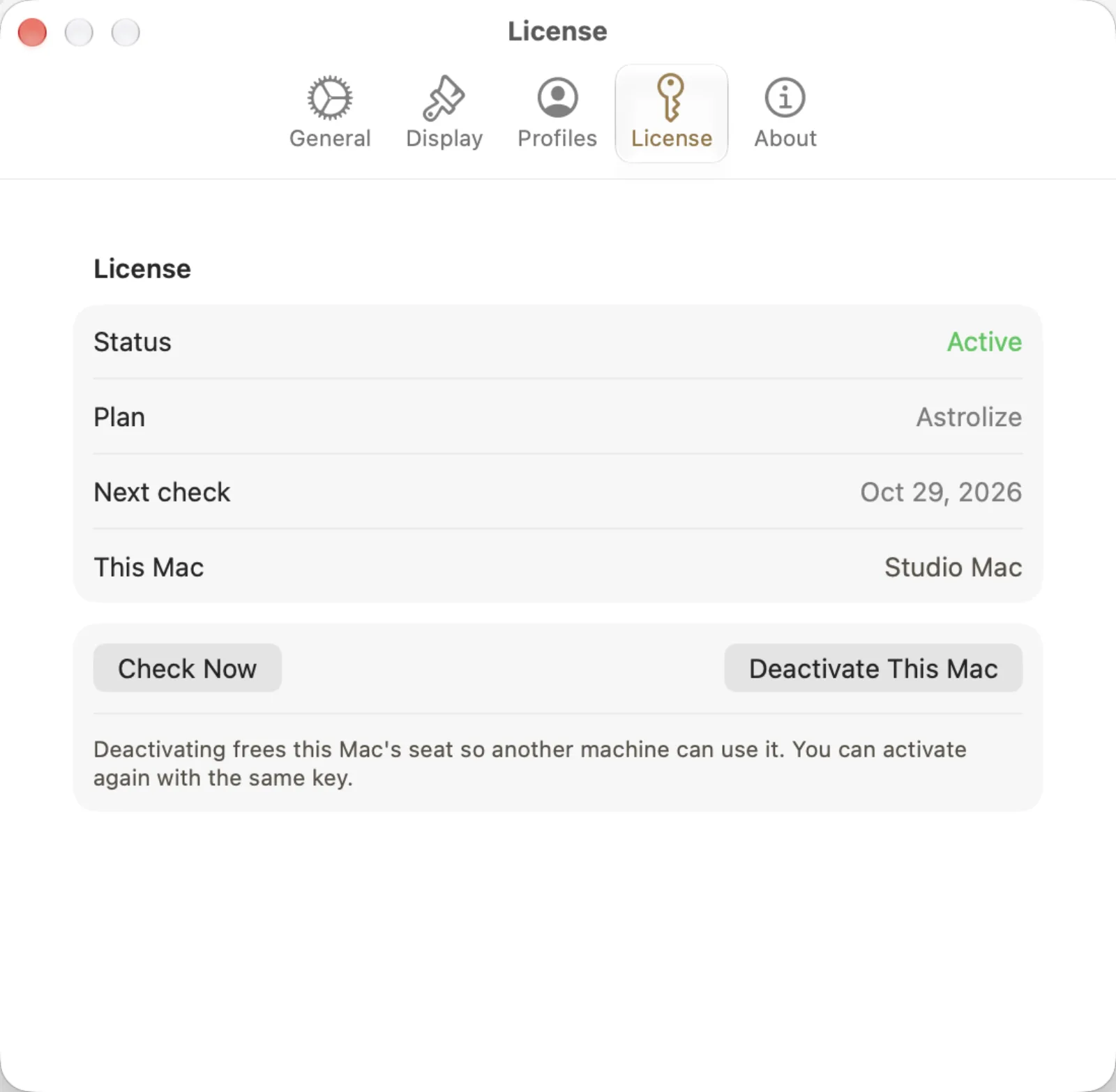
After activation, open Astrolize > Settings and choose License. The example shows Status Active, Plan Astrolize and Next check Oct 29, 2026. Check Now requests a fresh check. Deactivate This Mac frees the seat and is not a refresh button. Keep the displayed status and date distinct from a promise of unlimited offline use.
Check the purchase channel
The direct build uses a license key. The App Store build does not. If you bought through Apple and see Activate Astrolize, install the App Store copy instead of trying to obtain a website key.
Activate the direct build
Connect the Mac to the internet and open Astrolize.
Enter the full key from the direct purchase email in Activate Astrolize.
Choose Activate and wait for the result before trying again.
Resolve a refusal
If all device seats are in use, open Your account on the website and compare the device list with your actual Macs. Release only a device you no longer need, then retry activation. For a connection error, restore the connection before trying again.
The direct app revalidates its entitlement periodically. Offline grace is not an unlimited entitlement, and an explicit revocation can end access. Settings contains a direct-only License tab with Check Now.