Use your partner codes
Find issued codes, buyer discounts and the commission rate attached to each code.
On this page (3 sections)
Find issued codes
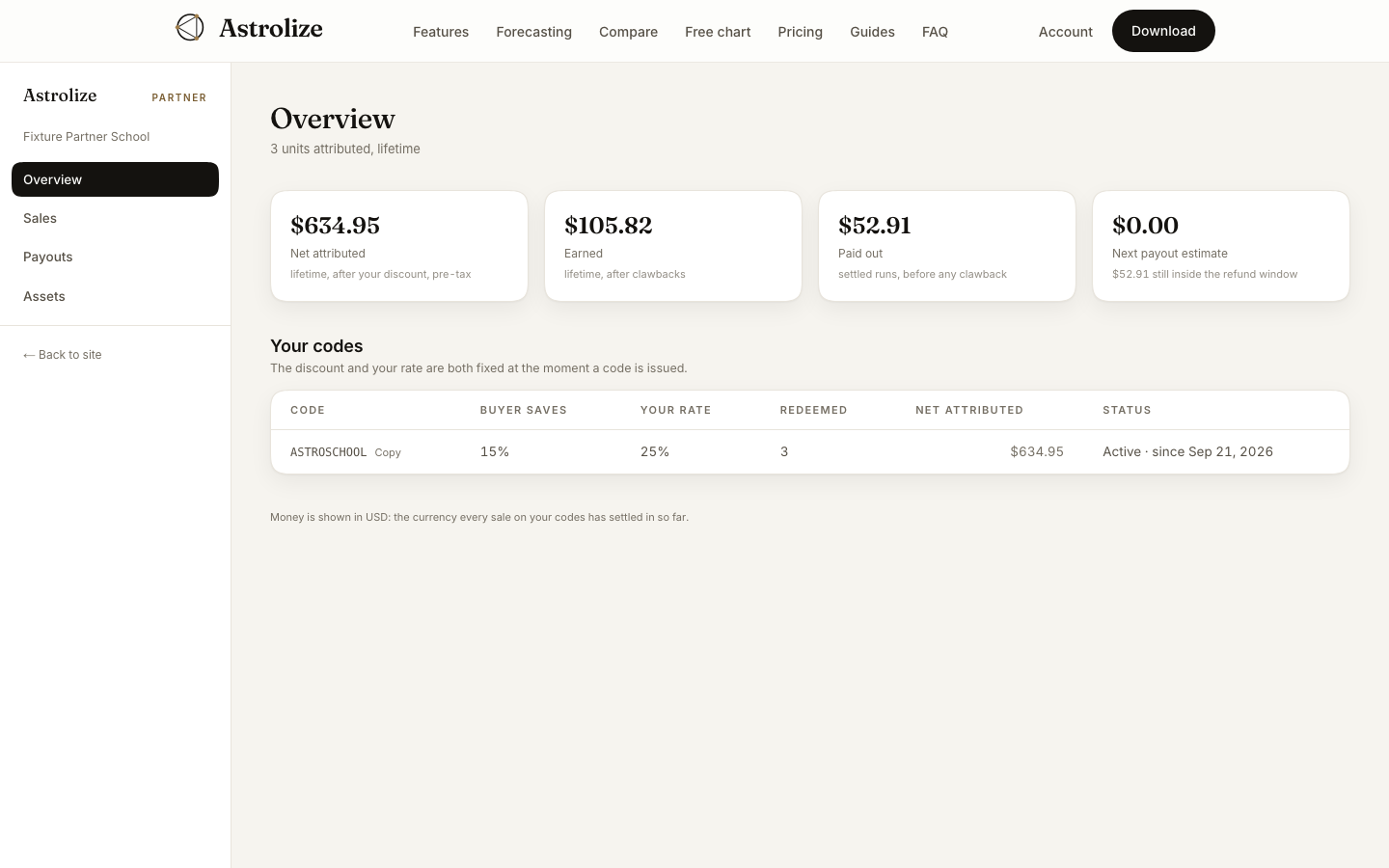
Sign in with your partner address and open Overview at /partner. Your codes lists Code, Buyer saves, Your rate, Redeemed, Net attributed and Status. Use the copy control beside a code to avoid transcription errors.
Check before sharing
Read the buyer discount and your commission rate for that particular code. These values are fixed when the code is issued; do not assume that a later program rate changes an existing code. Check that the code is active before including it in a new promotion.
Understand attribution
A sale is attributed when a buyer redeems your code at direct checkout. A visit to a page alone does not count. Net attributed is not the same as the buyer's tax-inclusive payment or your payout.
The Assets page provides active codes and approved materials for sharing. If no codes have been issued, contact the program rather than inventing a code or promising a discount.