Midpoints
Inspect midpoint structures and the implemented midpoint analysis views.
On this page (3 sections)
Midpoint Trees and Midpoint Sort offer two ways to inspect relationships around midpoint axes. Use Iris Vale's natal chart, then open either view in Midpoints & Harmonics or find it with Command-K. The important inputs are Orb and Modulus. Record both before comparing a tree with a sorted list, because changing the angular scale changes which relationships are grouped together.
Read an axis in Midpoint Trees
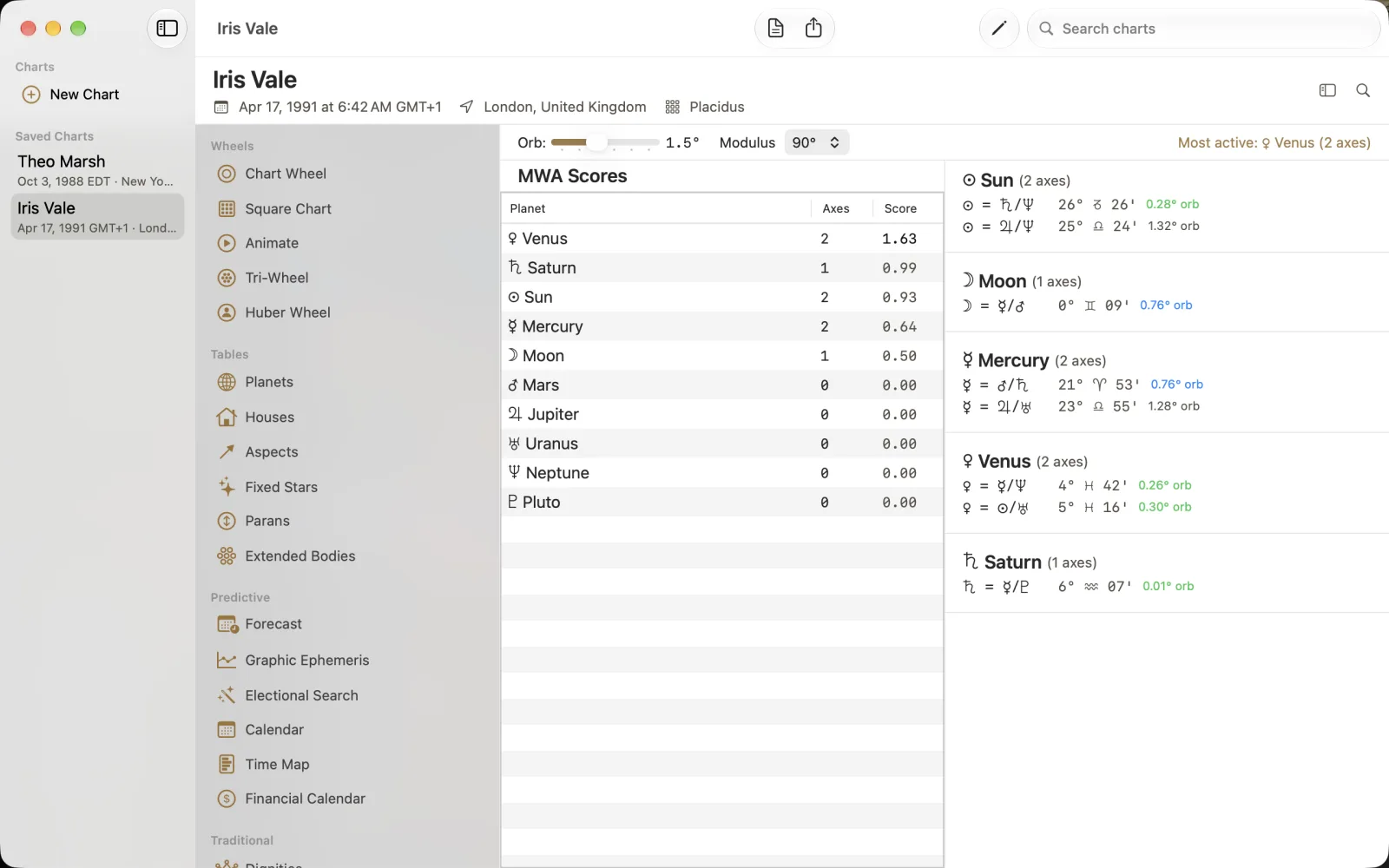
The capture uses Orb 1.5 and Modulus 90. Most active: Venus (2 axes) summarizes the example, while MWA Scores lists Planet, Axes and Score. Venus has 2 axes and score 1.63. In the Sun tree, Sun = Saturn/Neptune shows 26 Taurus 26 with orb 0.28; another line gives Sun = Jupiter/Neptune with orb 1.32. The axis count, score and orb are separate quantities. Read the entire line instead of treating the largest score as a longitude.
Select Iris Vale and choose Midpoint Trees.
Set Orb to 1.5 and Modulus to 90 for this example.
Compare the MWA Scores row with that planet's listed axes and their orbs.
Compare the ordered midpoint list
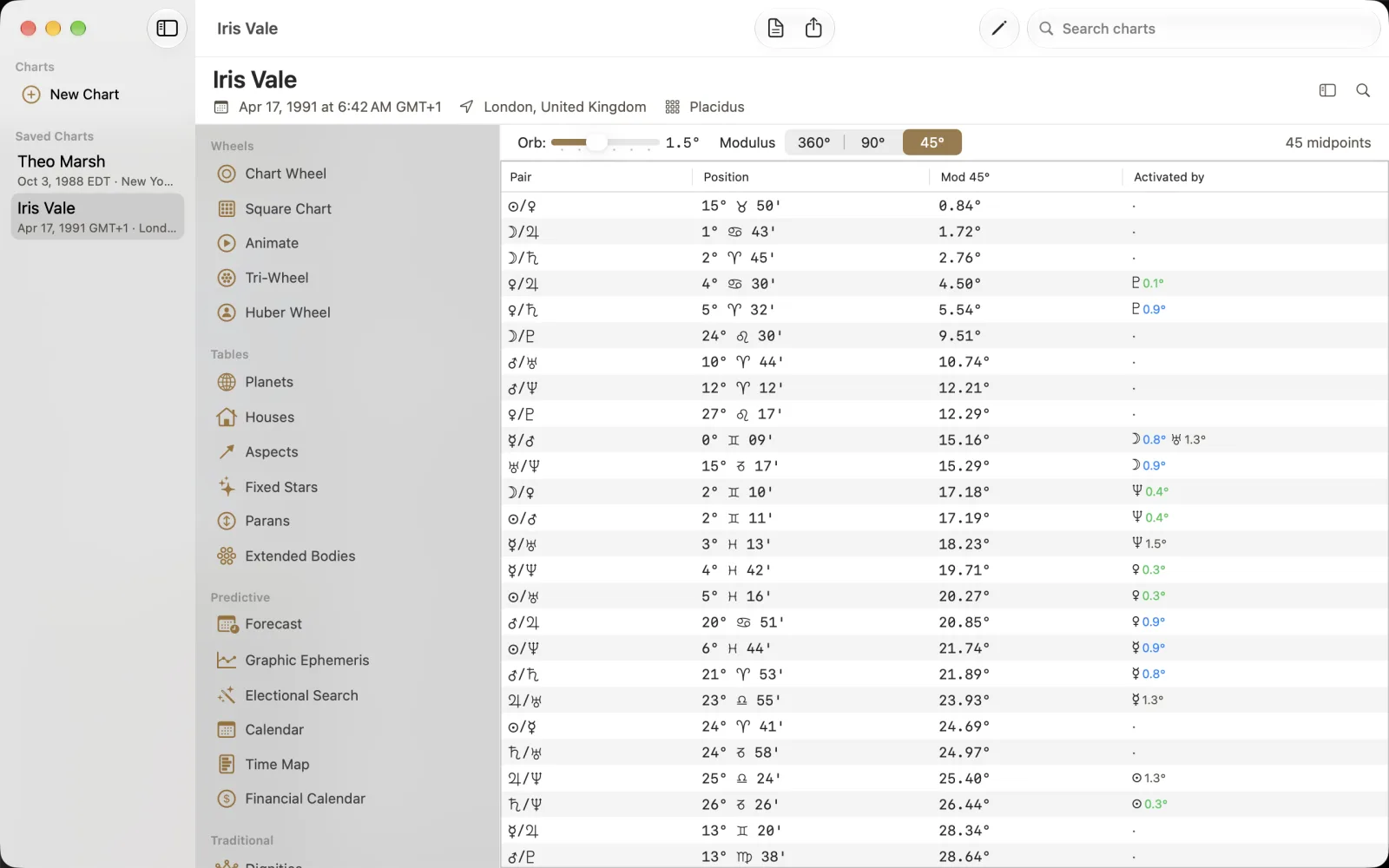
Choose Midpoint Sort and select 45 in Modulus, keeping Orb at 1.5. This capture lists 45 midpoints ordered by Mod 45, with Pair, Position and Activated by alongside the folded value. Venus/Jupiter is activated by Pluto at orb 0.1 in the example. The Position column and Mod 45 do not describe two different objects; keep the full position distinct from its folded comparison value. The 360 and 90 choices allow a different scale, not an equivalent unqualified reading.