Animate a chart and view the current sky
Use the implemented animation controls and current-sky display to explore changing chart positions.
On this page (3 sections)
Animate explores changing positions without turning an exploratory time into a documented birth record. Select Iris Vale's saved chart and open Animate in Wheels, or through Command-K. Keep her natal London time, 17 April 1991 at 06:42, as the reference while watching the displayed transit time change. Pause before comparing a position with a forecast event.
Set the step and comparison display
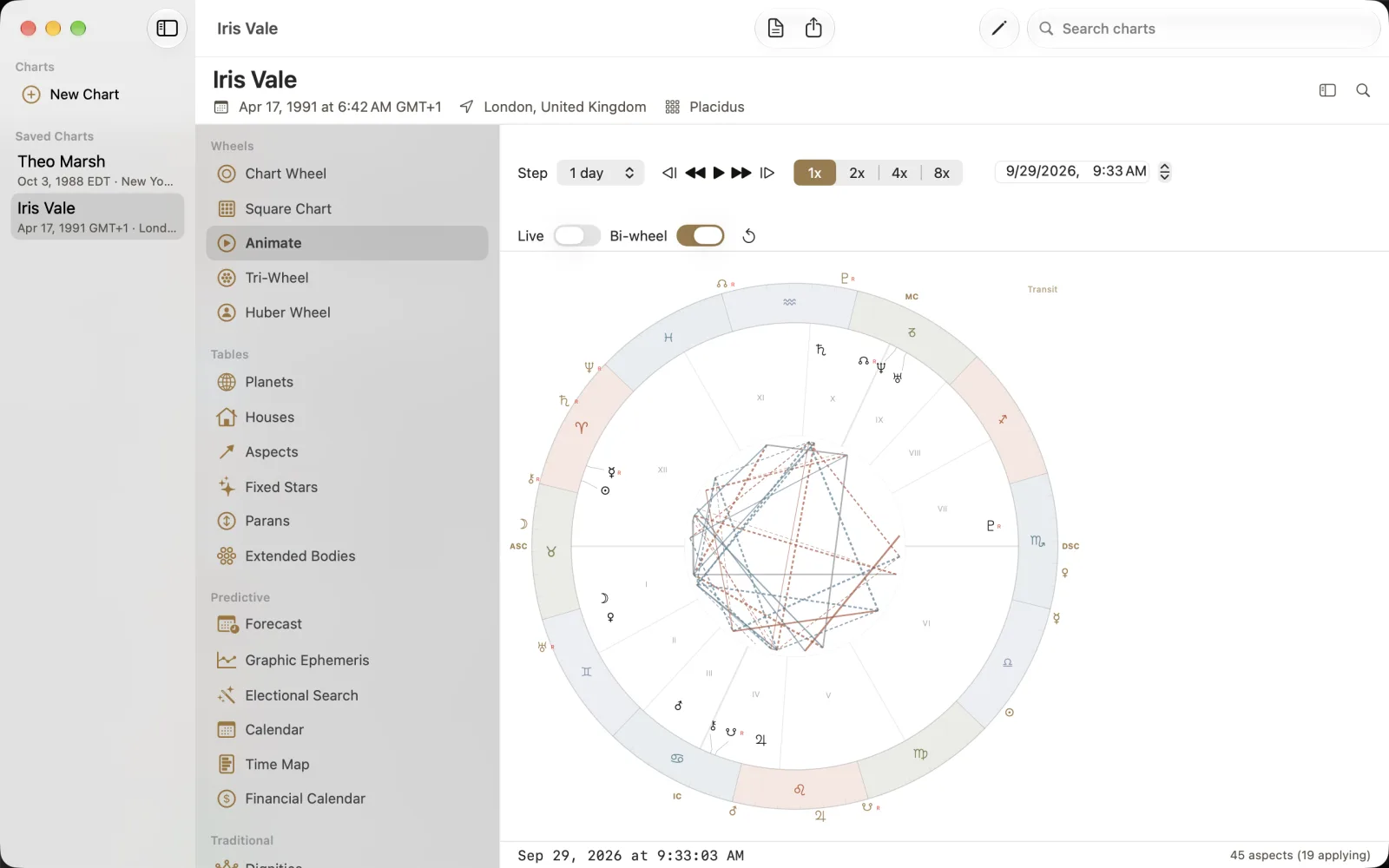
The capture has Step set to 1 day, Live off and Bi-wheel on. Speed choices are 1x, 2x, 4x and 8x. The date-time field shows 29 September 2026 at 09:33, while the footer gives seconds and 45 aspects (19 applying). Those counts belong to the pictured moment; they are not fixed properties of Iris's chart. The inner natal wheel and outer Transit ring should be read as separate layers.
Select Iris Vale and choose Animate.
Check Step and the displayed date-time before using playback.
Keep Bi-wheel on for the natal/transit comparison, and choose the speed you want to inspect.
Play briefly, then pause to read

The short animation plays forward at 4x for about three seconds, then pauses. Use the transport controls for individual backward or forward steps or for playback, and pause when you want to inspect a moment. Read the footer again after pausing rather than comparing a moving frame with a static table. Live shows the current sky at the chart location, not the Mac's location. Turning Bi-wheel off shows the transit wheel on its own, so check the display mode before calling a position natal.