Read your sales
Follow attributed sales and distinguish accrued, reversed, paid and clawback amounts.
On this page (3 sections)
Open your ledger
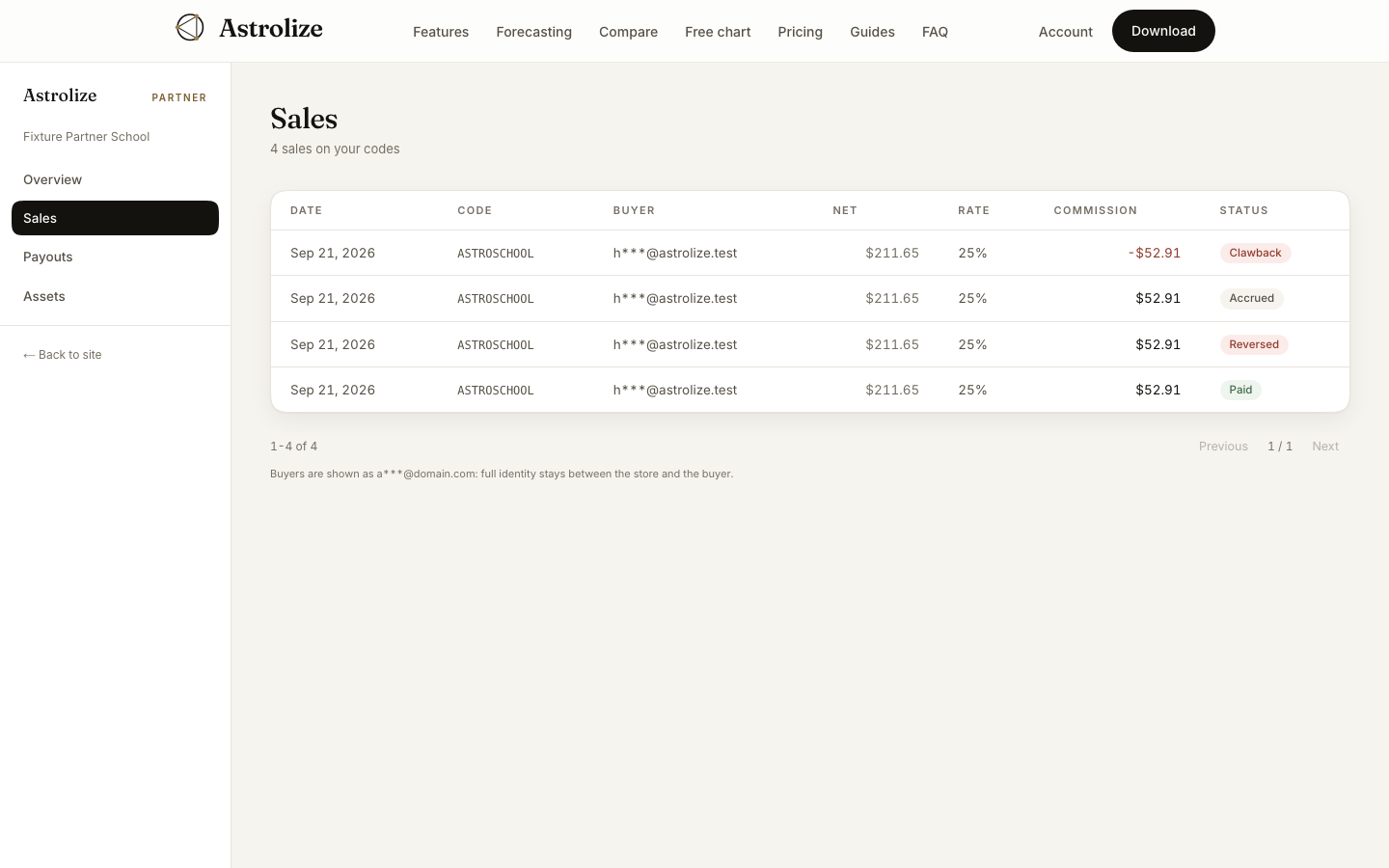
Open Sales at /partner/sales. Review Date, Code, Buyer, Net, Rate, Commission and Status together. Buyers are masked; the ledger is not a customer contact list.
Read the status
Status | Meaning for your review |
|---|---|
Accrued | Commission recorded but not yet settled in a payout |
Reversed | Commission reversed before payment |
Paid | Commission included in a settled payout |
Clawback | Previously paid commission now offsets earnings |
A clawback appears as a negative commission amount. Reversed rows remain visible so you can understand changes instead of assuming a sale has vanished.
Compare with payouts
Use the page navigation to inspect older rows. Compare totals with Payouts, not just one sales page: a page contains only part of the ledger. Overview's Paid out reflects settled runs and does not shrink a past transfer when a later clawback is recorded.
Ask support about a discrepancy with the code, date and visible amount. Do not try to recover a buyer's full identity from the masked address.