Choose a chart type
Create supported natal, derived and relationship charts using the available chart-type controls.
On this page (4 sections)
Chart Type chooses the calculation to create from your source data. Start with Iris Vale, born 17 April 1991 at 06:42 in London, and check Europe/London before making a derived chart. Changing the type does not repair incorrect birth data. The examples below distinguish the creation menu, a return search and a two-person composite.
Choose the calculation
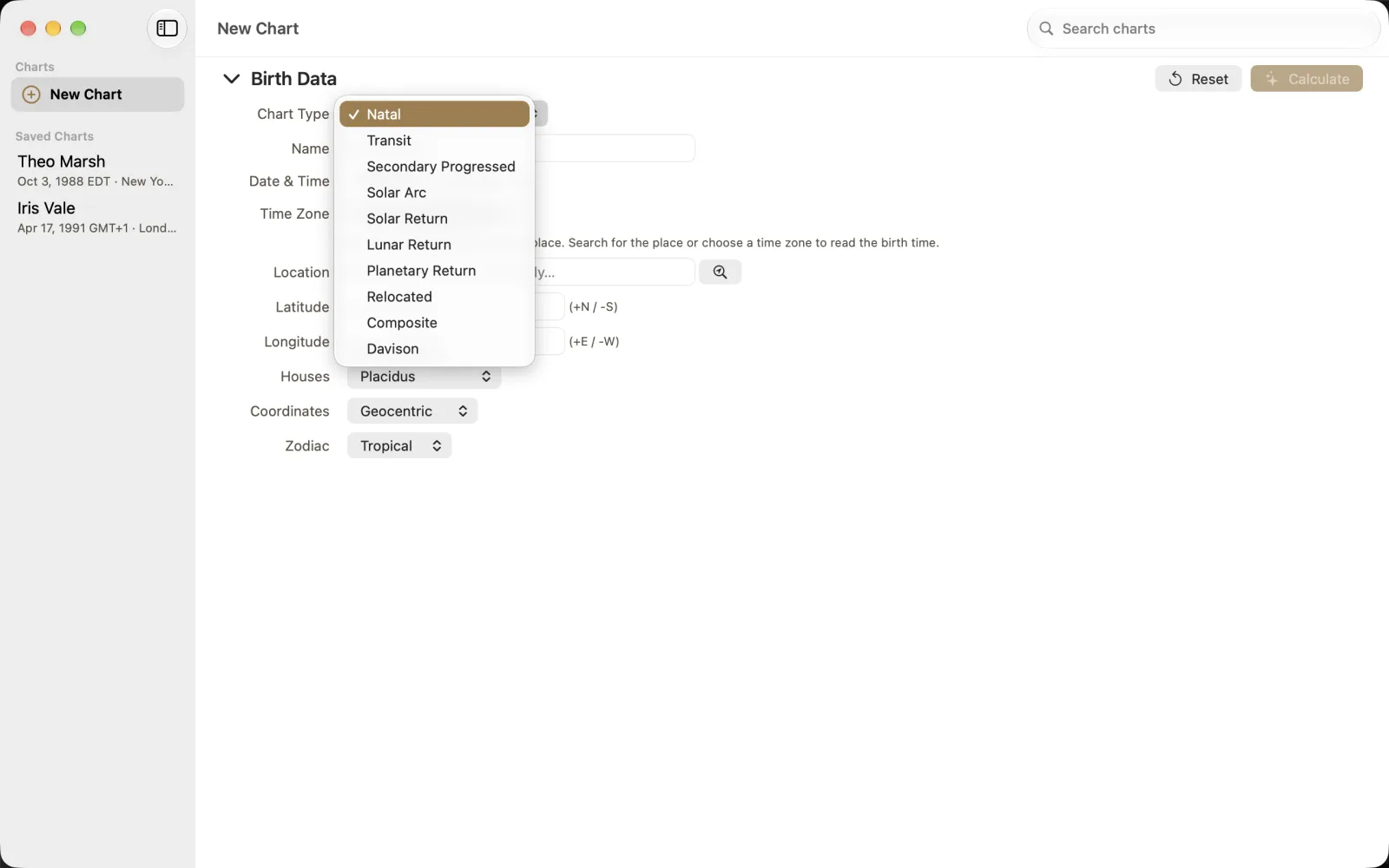
The menu offers Natal, Transit, Secondary Progressed, Solar Arc, Solar Return, Lunar Return, Planetary Return, Relocated, Composite and Davison. These are creation types, not the analysis navigator. You can inspect a calculated chart in several views without treating each view as another birth record.
Choose New Chart and open Chart Type.
Select the intended type before completing its additional fields.
Keep Iris's original birth date, time and London location checked alongside those fields.
Set the return search boundary
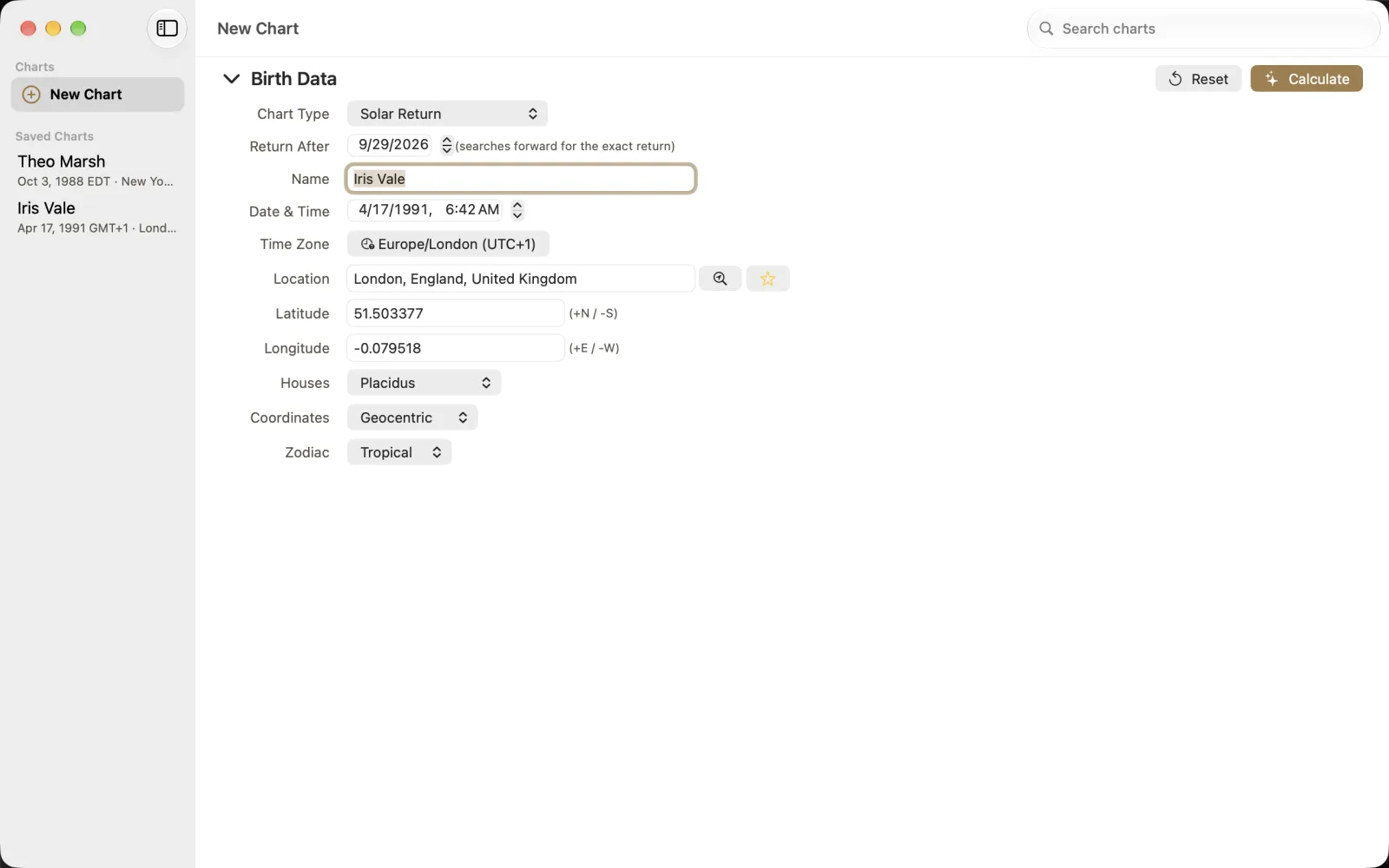
Solar Return adds Return After. The capture uses 29 September 2026 and explicitly says that it searches forward for the exact return. Return After is therefore the start of the search, not a claim that the return occurs on that date. Read the calculated result before describing its time. This form capture is separate from the October forecast examples.
Choose the second person for a composite
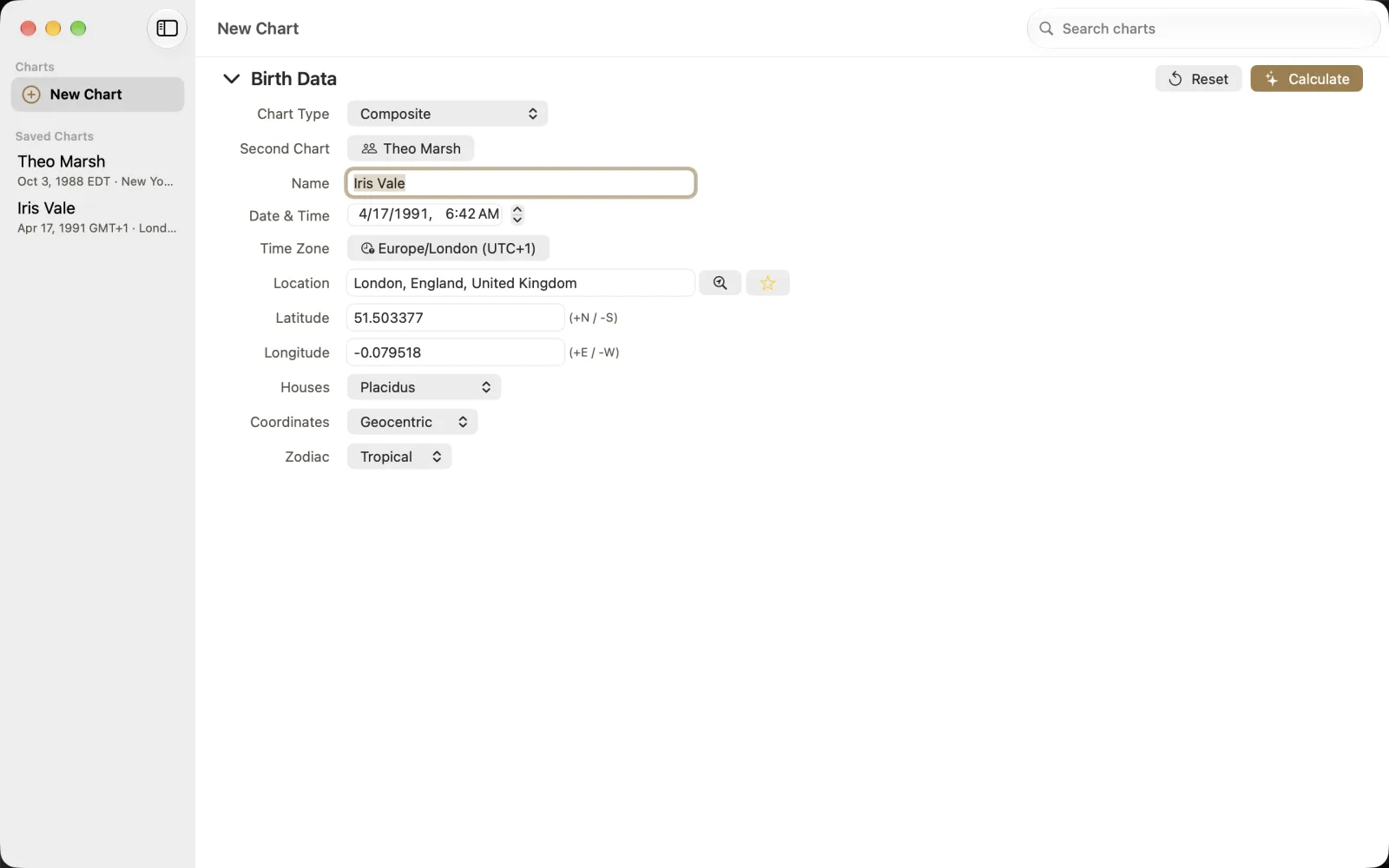
Composite adds Second Chart, shown here as Theo Marsh. Theo is also invented: 3 October 1988 at 21:15 in New York. Check that both records are the intended people and have documented time zones. A second-chart name alone cannot establish the quality of either source time.
Select Composite in Chart Type.
Use Second Chart to select Theo Marsh.
Choose Calculate and inspect the resulting chart before saving it.