Astro-mapping
Explore the available angular and local-space mapping views for a chart.
On this page (3 sections)
Astro Map places angular lines over a geographic map for the selected chart. Use Iris Vale's natal chart with London as the birth location, then choose Astro Map in Tools or through Command-K. The map is a way to inspect location-dependent relationships, not a recommendation about where to live, travel or invest. Keep the source time fixed while examining another place.
Read the map layers
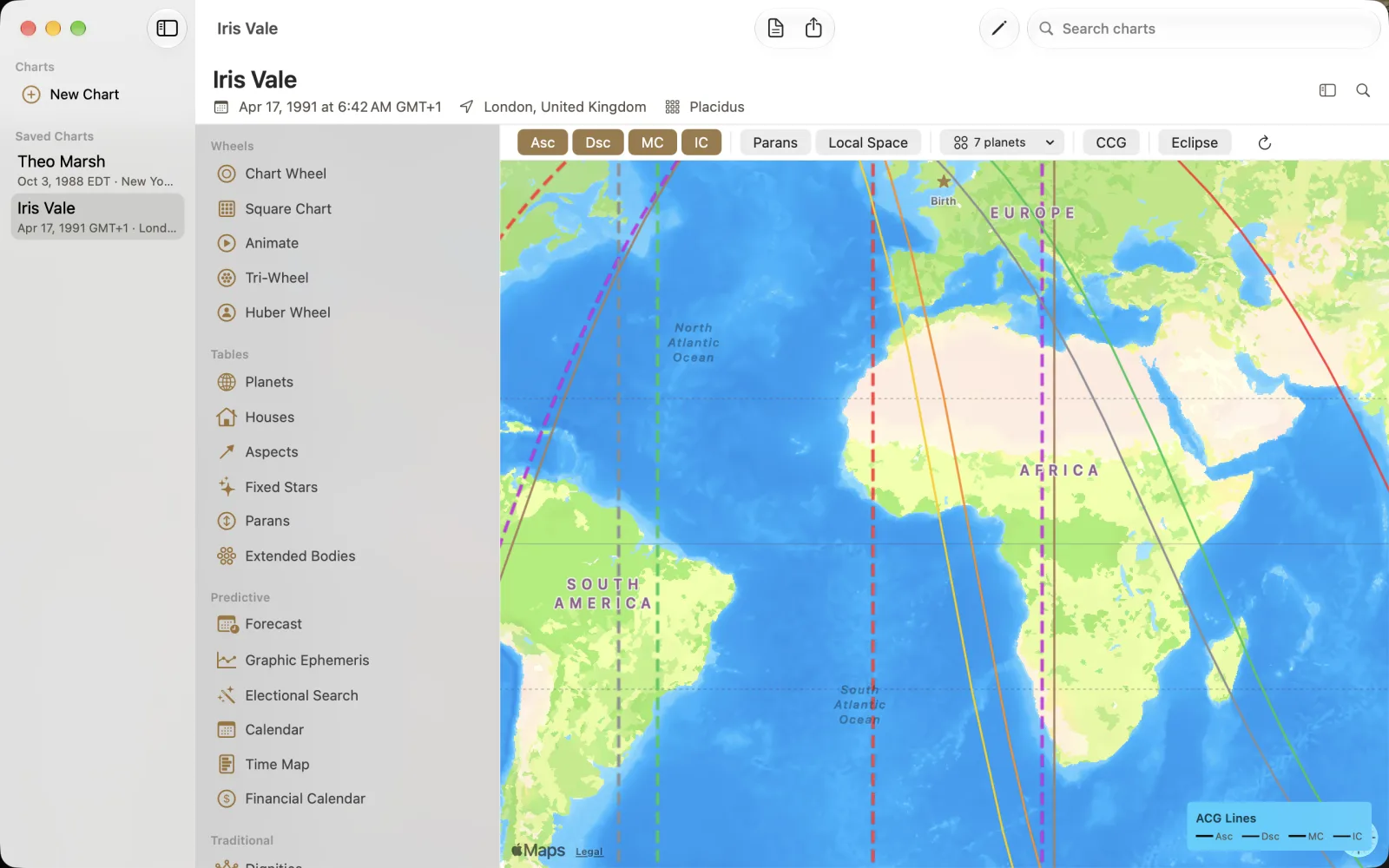
The capture has Asc, Dsc, MC and IC enabled, with a Birth star at London and an ACG Lines legend. Parans, Local Space, a 7 planets menu, CCG, Eclipse and reload are also visible. Start with the angular lines and their legend instead of enabling more layers merely to fill the map. A colored line and the selected place are different things to verify.
Open Iris Vale and choose Astro Map.
Check the Asc, Dsc, MC and IC toggles and the selected planets.
Use the legend to distinguish line styles before clicking a destination.
Inspect the relocated result
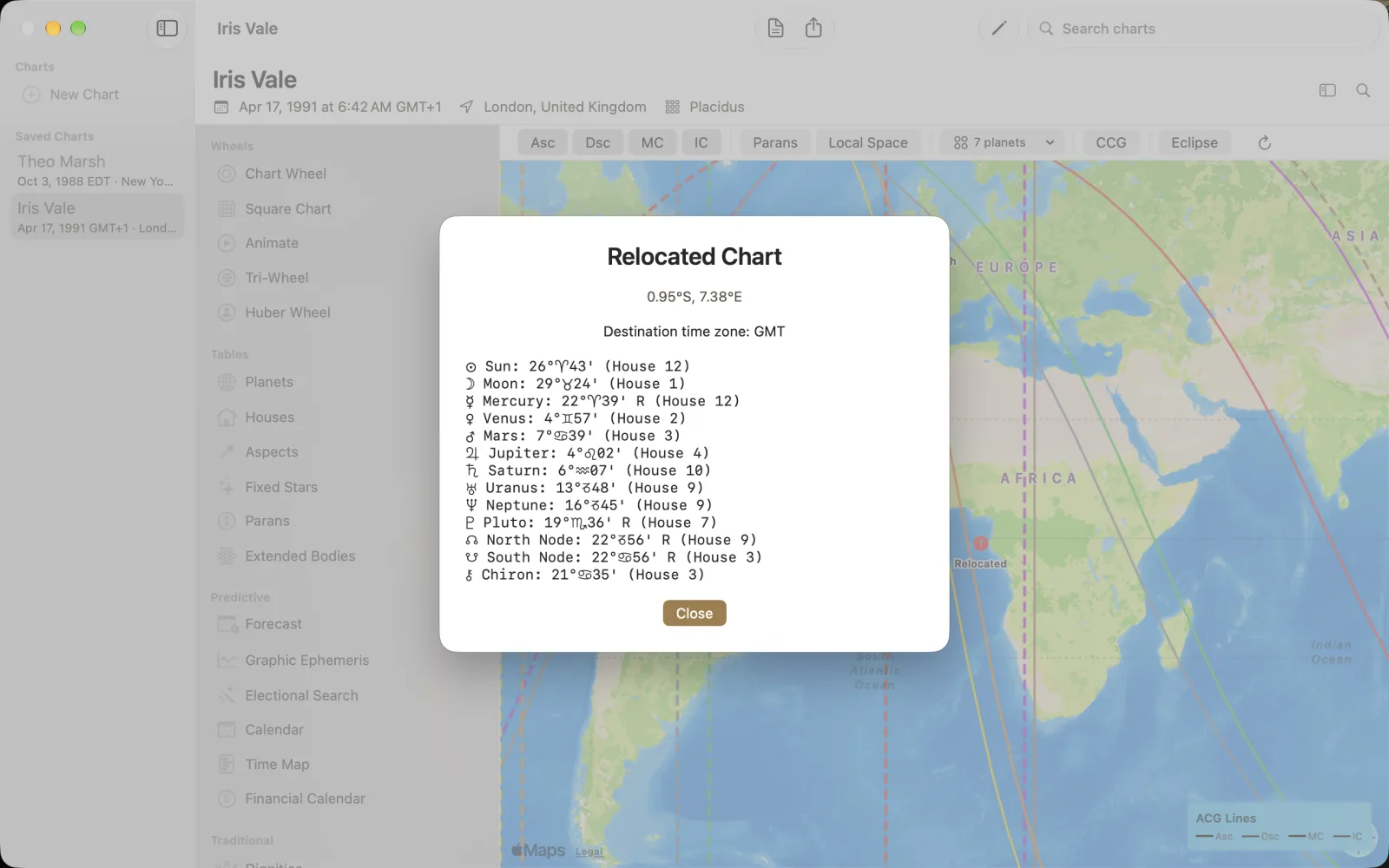
Click a map point to open Relocated Chart. The captured point is 0.95 S, 7.38 E, with Destination time zone: GMT and a Relocated pin on the map. Sun remains at 26 Aries 43 and is listed in house 12; Saturn at 6 Aquarius 07 is in house 10. Read each body's position alongside its house at that destination. Confirm the coordinates, not just the visual proximity to a line. Close dismisses the sheet so you can inspect another point without confusing the two destinations.